
M3U Link vs Xtream Codes: What’s the Difference?
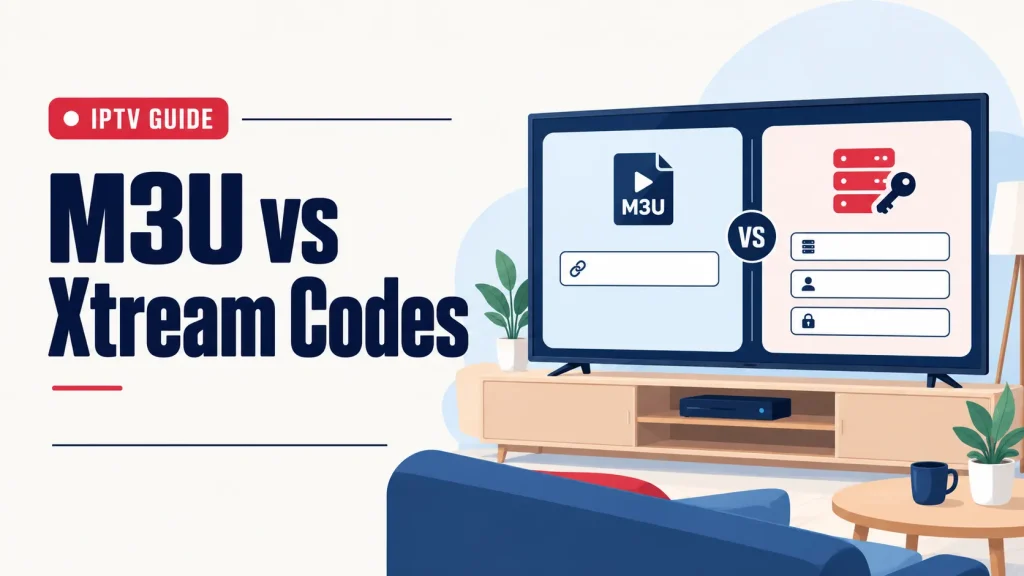
Short answer: An M3U link and Xtream Codes are two ways of giving an IPTV player app the same thing: the login to your subscription. An M3U link is a single web address. Xtream Codes are three details: a server address, a username and a password. Your app decides which one you enter.
For the broader picture, read what IPTV means first.
Why are there two kinds of IPTV login?
When you subscribe to an IPTV service, you do not get a box. You get login details, and you enter them into an IPTV player app on your TV, phone or computer. The app uses those details to find your channels, movies and series.
Player apps are made by many different developers, and they do not all ask for the login in the same form. Some ask for one long link. Others ask for a server address, a username and a password. That is the whole reason both formats exist: they are two doors into the same subscription.
What is an M3U link?
M3U is a playlist format. A file ending in .m3u is a plain text list, and each entry in the list tells a media player where to find one stream and what to call it. The format was first used for music playlists and was later adopted for TV channels.
With M3U IPTV, your provider gives you a personal web address instead of a file. When your app opens that address, it downloads the current list of everything in your subscription. Because the list lives on the provider’s side, it stays up to date without you doing anything.
You may also see the format written as M3U8. It is the same kind of list saved with a different text encoding, and player apps treat the two the same way.
An M3U link is long, and it contains your username and password inside it. That makes it quick to paste but awkward to type with a TV remote, and it is the reason you should never share it.
What are Xtream Codes?
Xtream Codes are the same login split into three short pieces:
- Server address (sometimes labeled URL, host or portal): where the service lives.
- Username.
- Password.
You type the three pieces into the app, and the app does the rest. With an Xtream IPTV login, most player apps load live channels, movies and series into separate sections and pull in the TV guide automatically.
The name comes from the system that many IPTV services and player apps use to talk to each other. For you as a viewer, it simply means “sign in with a server address, a username and a password”. You will sometimes see the same login called an Xtream API login, or just “Xtream”. It is one and the same thing.
M3U vs Xtream Codes: side by side
| M3U link | Xtream Codes | |
|---|---|---|
| What you enter | One long web address | Server address, username and password |
| Typing with a remote | Slow, the link is long | Easier, three short fields |
| What it gives the app | A list of streams | A sign-in to your account |
| Movies and series sections | Depends on the app | Usually sorted automatically |
| TV guide (EPG) | Some apps need a separate guide link | Usually loads by itself |
| Works with | Apps that accept a playlist link | Apps with an Xtream Codes login screen |
How each format behaves depends on the player app, so treat this table as a general guide. The content is the same either way: the same channels, the same movies and the same series.
Which one should you use?
Let your app decide. Open the app’s login screen and look at what it asks for.
- If it offers both, Xtream Codes are usually the easier choice. There is less to type, and the guide and the on-demand sections tend to set themselves up.
- If it only asks for a playlist or a link, use your M3U link.
- If it only shows server, username and password fields, use your Xtream Codes.
There is no quality difference between the two. Picture quality comes from the stream and from your internet connection, not from the way you signed in.
Not sure what your screen needs? The IPTV devices page lists what our service runs on, and you can tell us your device on WhatsApp so we can point you to the right format.
Do you get both with a subscription?
With us, yes. Every IPTV subscription from IPTV Subscription Now comes with an M3U link and Xtream Codes, on every plan length. We send both on WhatsApp once your order is confirmed, together with a setup guide for your device, usually within minutes.
You do not have to choose in advance or pay extra for one or the other. If you change devices later and the new app asks for the other format, you already have it.
Keep your login private
Both formats are keys to your subscription, so treat them like a password.
- Do not post your M3U link anywhere. Your username and password are inside it, so anyone who sees the link can use your access.
- Do not send screenshots of your login screen to anyone except our support.
- Do not share or resell your login. It is for you and your household, and access can be suspended if a login is shared.
If you think someone else has your details, message us on WhatsApp and we will help.
If your login does not work
Most login problems come from one wrong character. Before anything else, check these points.
- Copy and paste when you can. It avoids typing mistakes, especially with a long M3U link.
- Look for extra spaces at the beginning or the end of what you pasted.
- Check capital and small letters. Usernames and passwords must match exactly.
- Check the start of the address. Enter it exactly as we sent it, including the “http” part.
- Make sure the plan or trial is still active. A 24-hour trial stops by itself when the time is up.
- Check your internet connection on the same device.
Still stuck? Send us your device and what you see on screen. A real person replies on WhatsApp, 24 hours a day.
Try it before you pay: ask for a 24-hour IPTV free trial and test the service on your own TV. No card is needed and it ends by itself. Request your free trial on WhatsApp.
M3U and Xtream Codes: your questions
Is M3U or Xtream Codes better?
Neither is better for picture quality. Xtream Codes are usually easier to enter and set up the TV guide automatically in most apps. Use the one your player app asks for.
Do I need both an M3U link and Xtream Codes?
No, one is enough. We send both with every plan, so you have the right one whichever app you use.
What is a .m3u file?
It is a plain text playlist. Each entry tells a media player where to find a stream and what to call it. With IPTV you normally get a link to your personal list instead of a file.
Is it safe to share my M3U link?
No. Your username and password are inside the link, so anyone who has it can use your access. Keep it private.
What do I do if my login stops working?
Check for typing mistakes and extra spaces, make sure your plan is still active, then message us on WhatsApp with your device and what you see on screen.